Overview
When working with BWC footage, you may be required to leave certain elements, such as timestamps, unredacted. This can be challenging when there’s a lot of movement in the footage, especially if a redaction box unintentionally crosses in front of the timestamp and redacts it. Fortunately, with CaseGuard’s Original effect, you can ensure portions of your video remain visible, even when other objects pass in front of them.
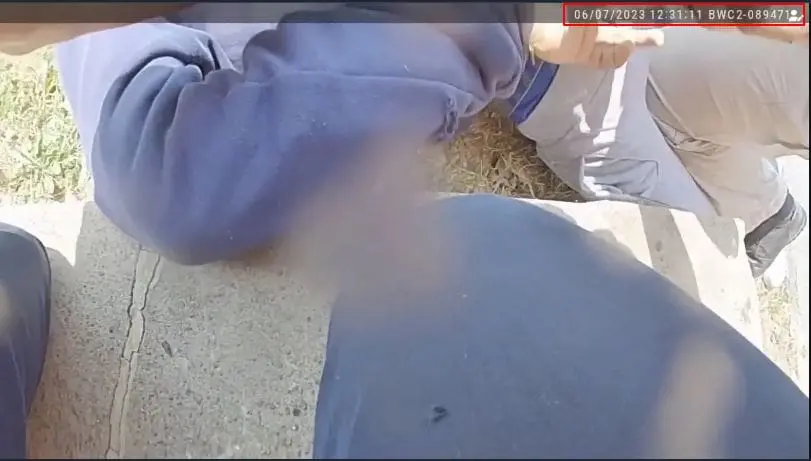
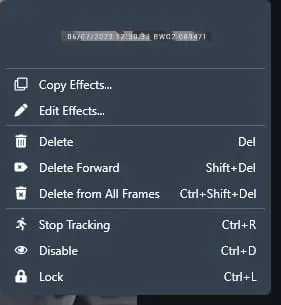
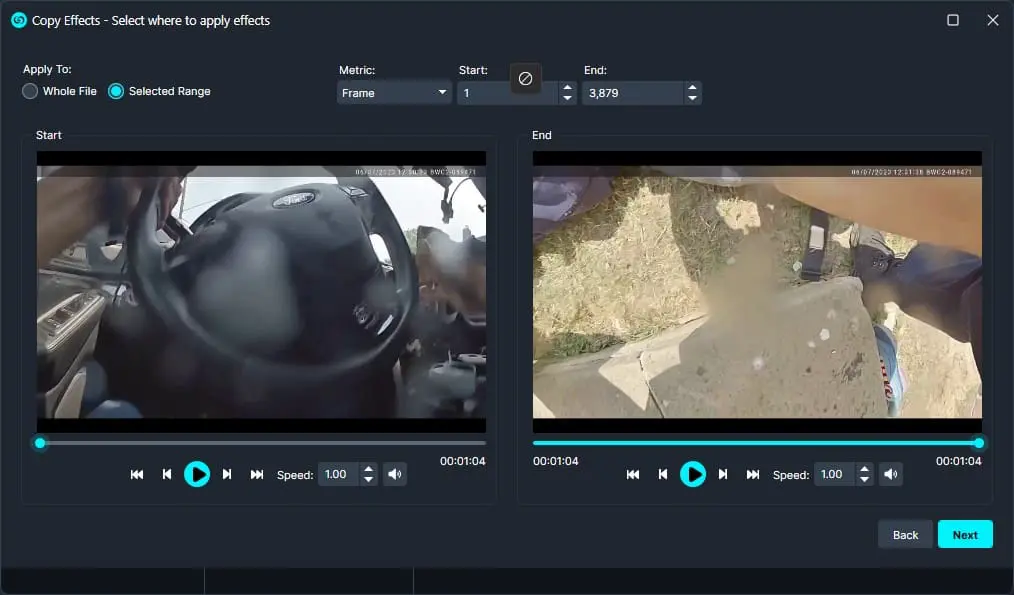
To begin using the Original effect, simply draw and position shapes (like rectangles or polygons) over the areas you want to keep unredacted. Then, right-click on your redaction and select Copy Effects. Choose the range you’d like the effects applied to, and confirm. You can adjust as needed. This is especially useful when specific objects must remain visible throughout the entire video, or for a selected duration.
For example, if you need to leave the Axon timestamp visible in the footage, the Original effect makes this easy.
Follow these steps to easily keep any object unredacted in your video!
- In the left-hand Toolbar, select “Manual Video.”
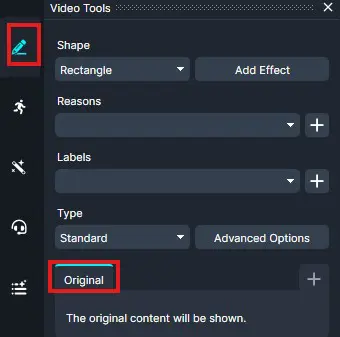
- In the Video Tools Panel, select the shape you want to use. Then, click on Add Effect. From the Effect drop-down menu, choose the Original effect.
-
Click Next after confirming the effect range.
-
Review the settings in the upcoming windows, then in the final window, click Apply.
-
The player will jump to the end of the video, indicating that the effect has been applied across the selected range.
-
Review your redactions by playing the video from the beginning.
-
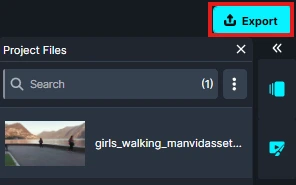
Once you’re satisfied, click the Export button to process your file and save the changes.
Conclusion
The Original effect provides a simple way to preserve important elements in your footage while applying redactions elsewhere. Whether you need to keep timestamps, evidence markers, or other critical information visible, this feature ensures those areas remain unchanged throughout the selected portion of the video. By applying the effect across a defined time range, you can maintain the integrity of essential visual details while completing your redaction workflow with confidence.
Was this article helpful to you?
No
Yes