Use Case
Your legal department has been sending memo after memo and even scheduled a meeting to discuss a new state-level privacy law based on the Colorado Open Records Act (CORA). As part of the new requirements, your agency must maintain an exemption log for every information request, even if it is not provided to the requester.
To ensure consistency, everyone on your records team should use the same redaction reasons. Fortunately, only one team member needs to create or update the list in CaseGuard Studio before exporting and sharing it with the rest of the team. redaction reason list with the rest of the team to avoid duplicating work.
How to Add Redaction Reasons to CaseGuard Studio
- Open CaseGuard Studio.
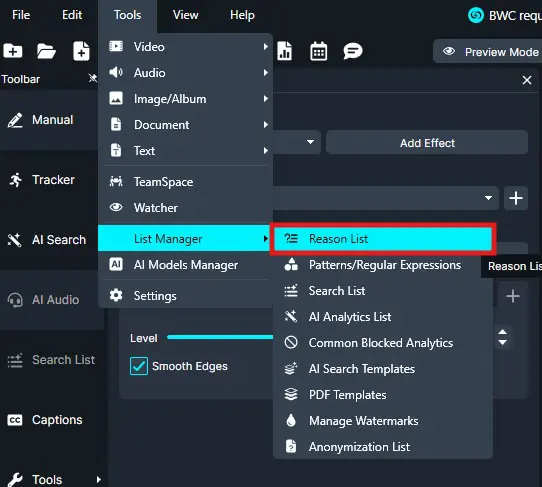
- Click “Tools” in the top-left corner of your workspace.
- Select “List Manager” from the drop down menu, then click “Reason List.”
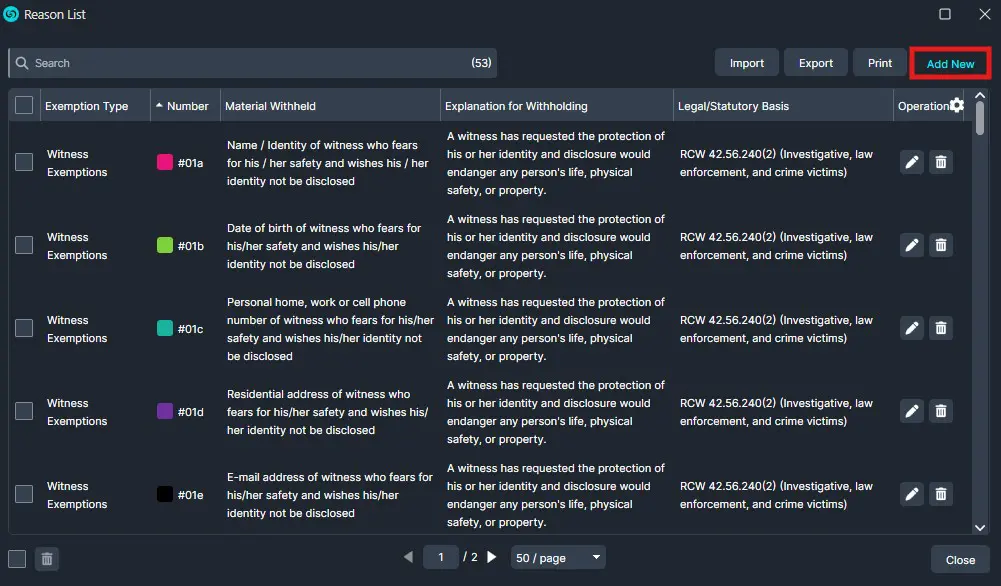
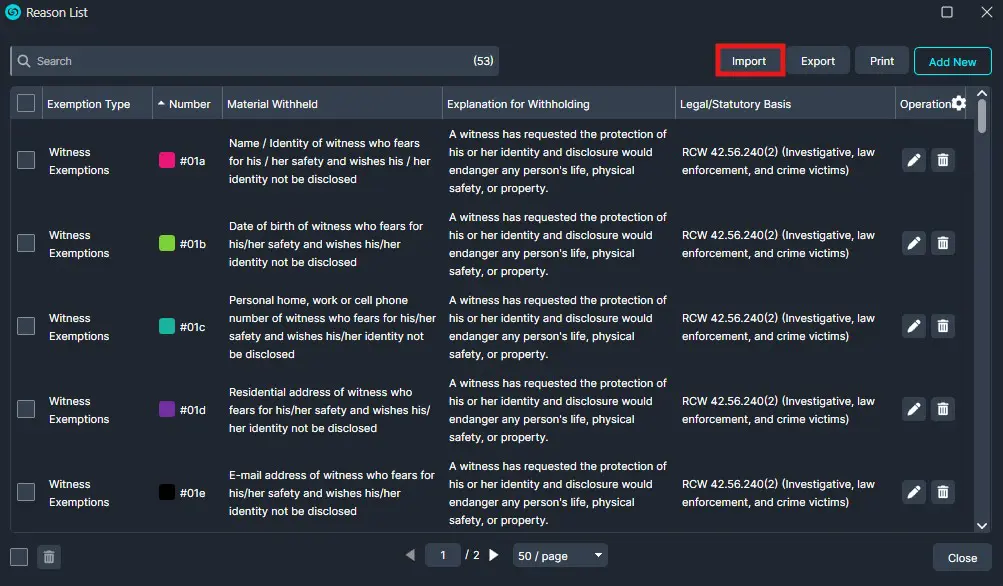
- The Reason List window will appear, presenting the current list of reasons available.
- To edit an existing Reason, click the “Edit” icon.
- To Delete an existing Redaction Reason, click the “Delete” icon.
- Best Practice: Because, CaseGuard Studio comes with default redaction reasons that may not apply to your department. Remove non-essential redaction reasons to avoid mislabeling.
- To add a new reason, click the “Add New” button.
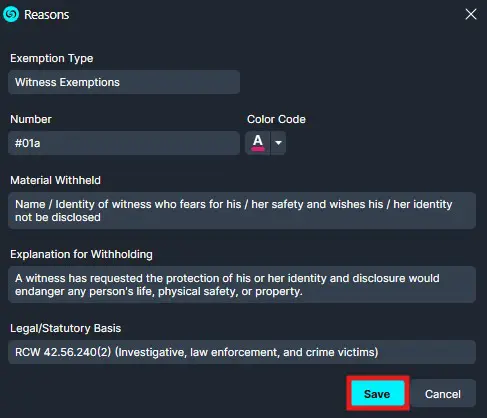
- In the Reasons pop-up add the:
- Exemption Type
- Number
- Color Code
- Best Practice: Color coding based on exemption type allows you to see from a glance what kind of information is being redacted and why.
- Material Withheld
- A Brief Explanation of Why Material is Withheld
- Legal / Statutory Basis
- Click “Save“.
- The new Redaction reason will be available for all future projects.
Export a list of Redaction Reasons
After creating a list of Redaction Reasons, it can be exported to be shared with other CaseGuard users within your agency.
- Using the same steps described earlier, return to the Reason List window.
- Once the Reason List window appears, it will present the current list of reasons available to you.
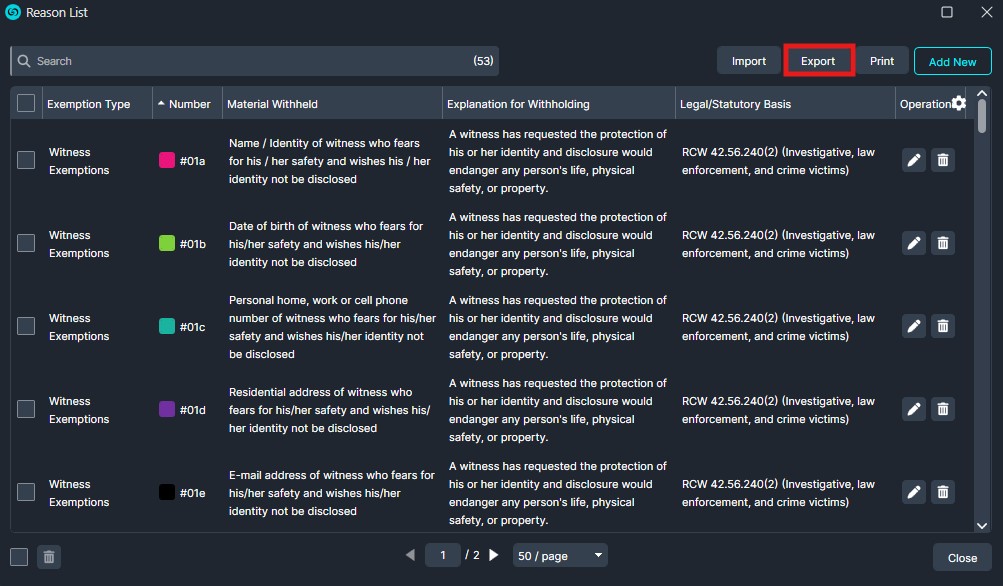
- Click “Export” and CaseGuard will automatically download an .XML file onto your machine.
- Share the XML file with other users in your organization using your preferred method, such as email or a shared network location.
Import a Reason list
- Using the same steps described earlier, return to the Redaction Reason window.
- The Reason List window will appear, presenting the current list of reasons available to you.
- Best Practice: Meet regularly with your team to ensure that your redaction reasons are up to date to avoid any possible compliance issues or legal repercussions.
- Click “Import” and your file explorer will open.
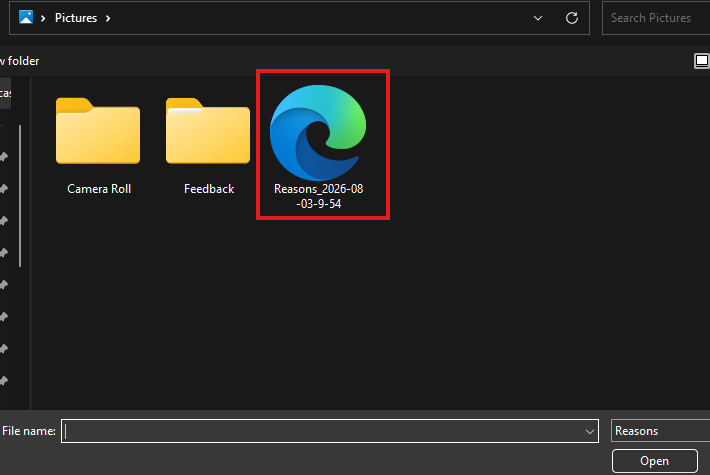
- Locate the .XML file containing the list of Redaction Reasons and click “Open.”
- The new Redaction Reasons will be automatically imported into CaseGuard Studio.
Conclusion
Maintaining a standardized list of redaction reasons helps ensure consistency, accuracy, and compliance across your organization. By creating, exporting, and sharing a single reason list, your team can reduce duplicate work, minimize labeling errors, and stay aligned with evolving legal and organizational requirements. Regularly reviewing and updating your shared list will help ensure everyone is applying the most current redaction reasons in every project.
Was this article helpful to you?
No
Yes
1