CaseGuard Studio allows you to review the confidence levels of AI-detected objects in your videos, ensuring transparency and accuracy in your redactions. Follow these steps to generate a clear and actionable report:
- Ensure AI Redaction Processing is Complete
Before generating a report, make sure your AI redactions have fully processed on the video. Only completed AI processing will provide accurate confidence data.
- Navigate to the Print Reports tab
Once processing is finished, go to the Print Reports tab (located in shortcuts bar) in CaseGuard Studio. This is where you can access detailed reports on all detected objects and activities.

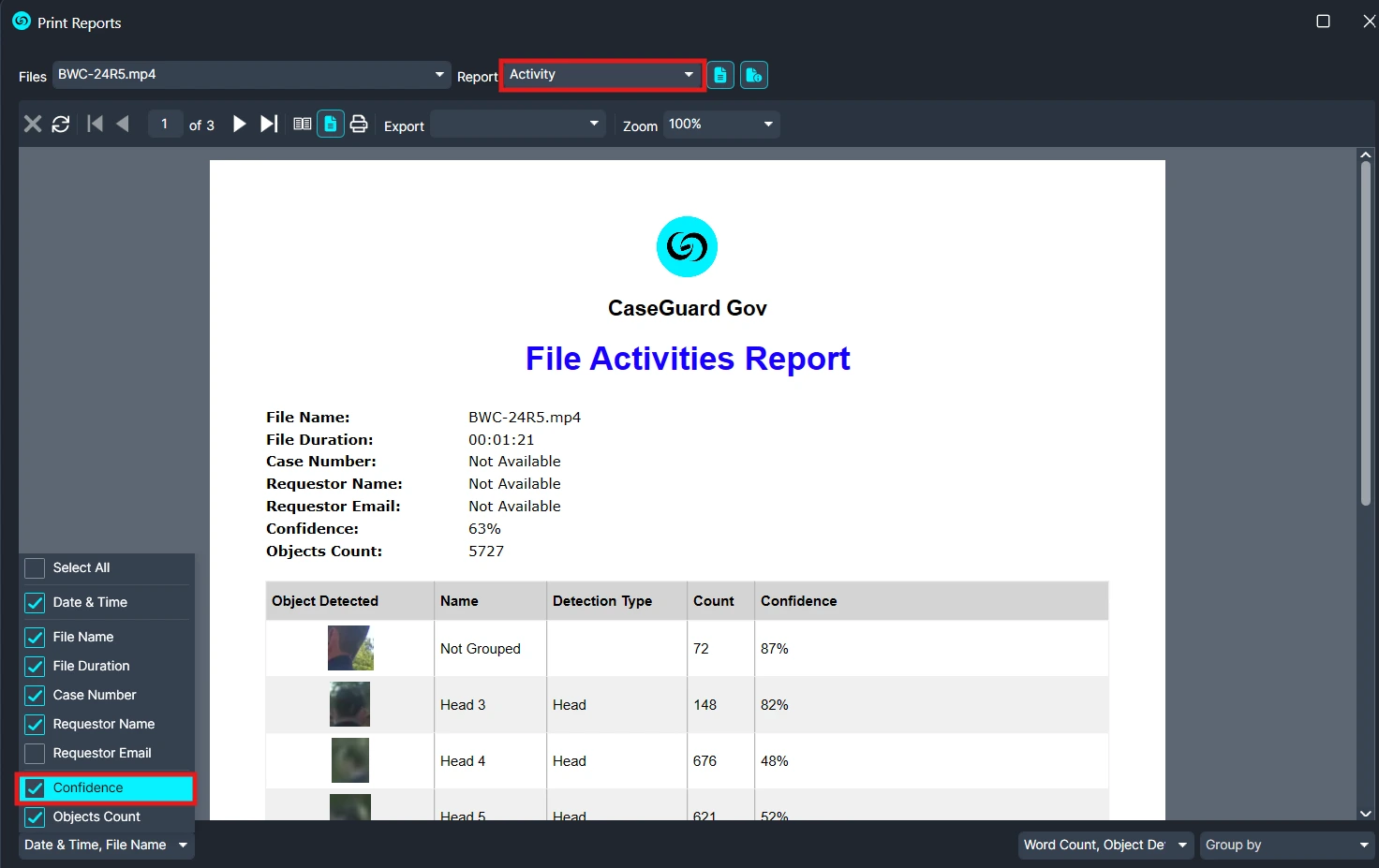
- Select the Activity Report
- In the Print Reports tab:
- Ensure the Activity report is selected.
-
At the bottom right, locate the Report Options drop-down menu.
-
Choose “Confidence” to display the confidence percentages for each detected object.
⚠️ If “Confidence” is not selected, the activity report will not show confidence percentages.
Export the Report
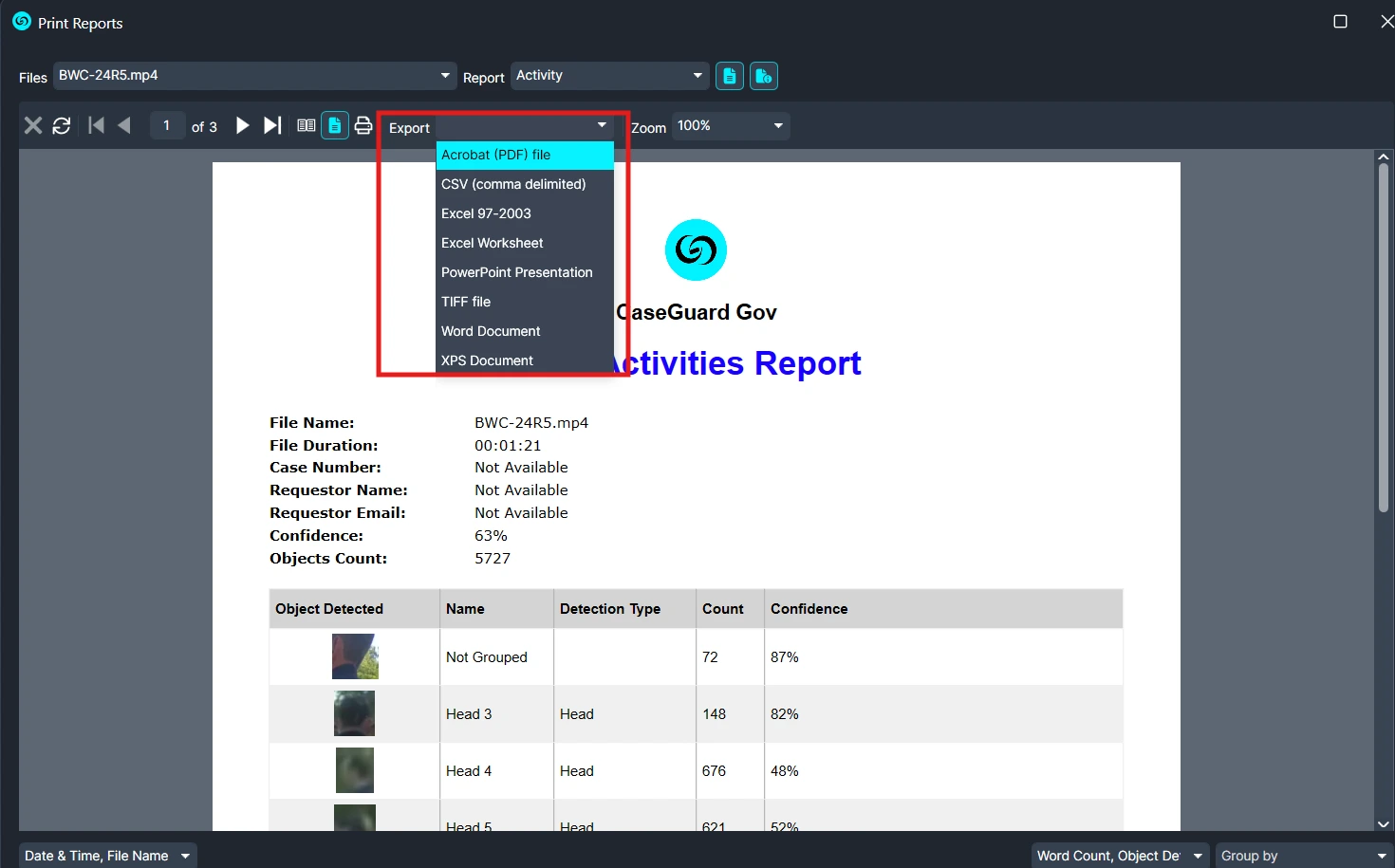
Within the same window, use the Export drop-down menu to save the confidence report in your preferred format (PDF, CSV, etc.).
Conclusion
By following these steps, you can generate a confidence report that provides valuable insights into your AI redactions. This ensures full transparency, supports accuracy in your workflow, and helps maintain trust with stakeholders.
For assistance or questions while generating your report, contact our support team at 📧 [email protected], we’re always happy to help.
Was this article helpful to you?
No
Yes