Use Case
Redacting multiple videos of the same event, especially when they are filmed from different angles and do not line up, can be extremely time consuming. When footage is not synchronized, features like Copy Effects cannot be used, which means repeating the same redactions across each file.
CaseGuard’s Merge feature simplifies this process. By combining and aligning footage from CCTV, BWC, or other sources, you can display all angles in one place and complete your redactions more efficiently. This saves hours of repetitive work and helps keep your workflow streamlined.
Merging the Files
-
Open CaseGuard Studio.
-
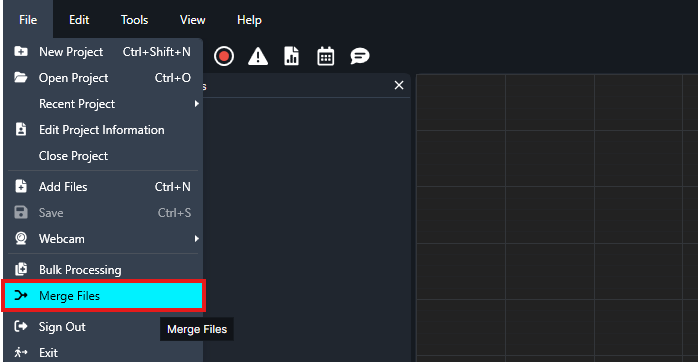
Navigate to File (top left corner) and select Merge Files.
-
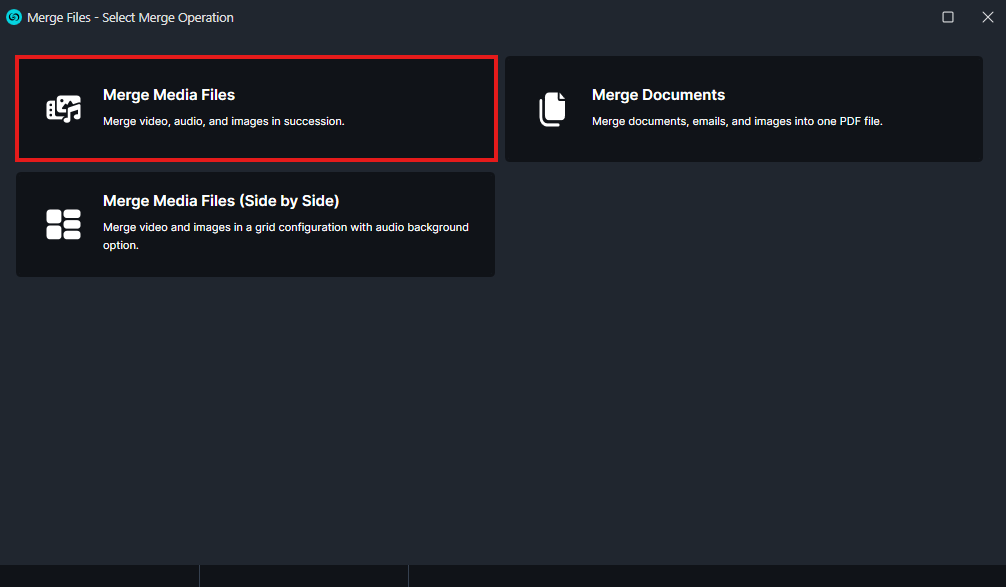
Choose Merge Media Files.
-
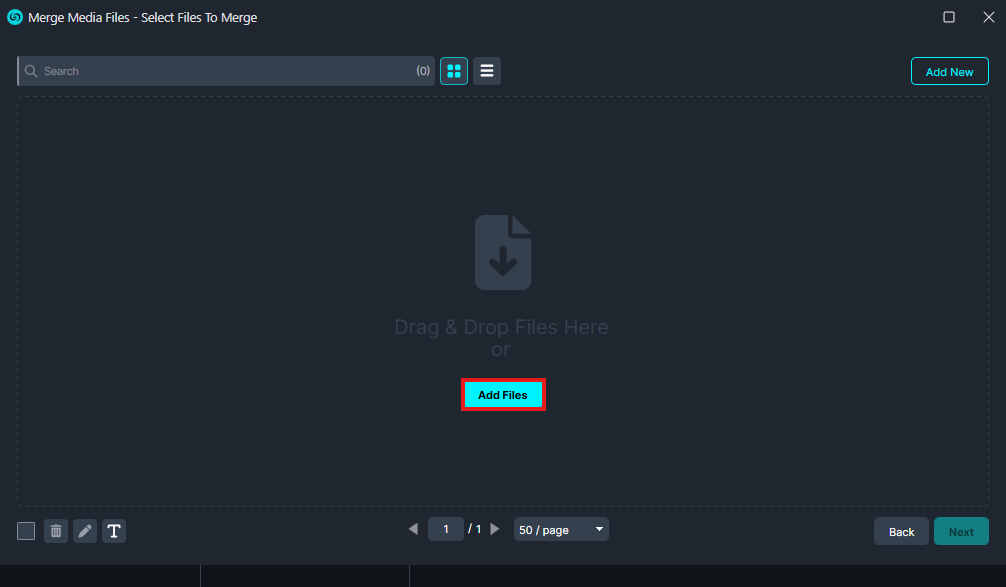
Click the blue Add Files button and select the video files you would like to merge.
-
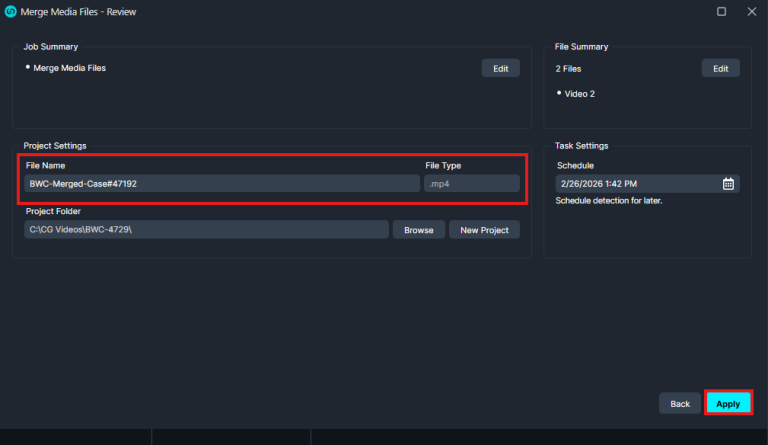
In the next window, enter a name for the merged file and click Apply.
-
Once processing is complete, the newly merged file will appear in CaseGuard Studio in your project files.
Conclusion
The Merge Media Files feature allows you to quickly combine multiple video files into a single file for streamlined review and redaction. This helps simplify case management and ensures all relevant media is consolidated within one project.
Need Assistance?
If you have any questions or encounter any issues while merging files, please contact our support team at [email protected]. Our team will be happy to assist you.
Was this article helpful to you?
No
Yes
1