How PTS Bank Cut Video Redaction Time from 10 Hours to 1 with CaseGuard AI

How PTS Bank Cut Video Redaction Time from 10 Hours to 1 with CaseGuard AI

Ten Hours of CCTV Redaction for One GDPR Request

A customer walked into a PTSB branch, had a meeting in the lobby, and later asked the bank for the CCTV footage of it. The meeting lasted one hour. Fulfilling that one request took Henry Cannon close to ten hours, several reams of paper, and it ended with the customer being handed a binder of printed stills.

Henry manages the data access request team at PTSB, one of Ireland’s three pillar banks. Under GDPR, he has 30 days to give a customer their personal data once they ask for it. For anything captured on camera, that used to mean printing still images frame by frame, blacking out every other person by hand, and hoping nobody requested a long clip.

The same request now takes him about an hour. This is how that happened.

About PTSB

Industry: Financial services

Location: Dublin, Ireland

Company size: ~3,000 employees, around 100 branches, & about 1.2 million customers

About the company: Permanent TSB, known to most people as PTSB, has been operating in Ireland in one form or another since 1816. It is one of the country’s three pillar banks, publicly listed on Euronext Dublin, and has been named Ireland’s Best Personal Bank more than once.

Henry Cannon has been with the bank for seven years and leads a data access request team of five. The team handles compliance documentation across the business, but CCTV redaction sat with Henry alone.

The challenge: Printing 24 images to redact one second of video

PTSB receives eight to ten requests for CCTV footage a year. That volume sonds manageable until you look at what one request actually involved.

Video runs at roughly 24 frames per second. To redact a clip properly by hand, Henry printed still images, blacked out every person who as not the requestor, and repeated that for the length of the footage. Printing a still for every second of an hour-long video meant thousands of pages.

For the lobby meeting request, he printed a still every ten seconds instead of every second to save time. It still took close to ten hours.

Handwritten documents made it worse. A large share of GDPR requests at a bank involve deposit slips, forms, and handwritten notes. Every redaction tool Henry requested failed to read handwriting reliably, which pushed the work back to manual page-by-page review at 20 to 30 minutes per document.

A 30-day GDPR clock and nowhere to send the work

A few things were stacking up on Henry at once:

As Henry put it, “We never found a program that worked for us and outsourcing was not an option.”

The solution: Why PTSB chose CaseGuard after testing everything else

Henry started looking for a way to automate redaction back in 2020. He tested several tools and none of them handled the mix of work PTSB deals with, particularly the handwritten documents. CaseGuard AI was the first one that covered both sides of the problem in a single platform.

Four things made the difference:

“One of the most important things for us was getting an on-premise solution. With CaseGuard, we don’t share data with any third-party. That ticked a lot of boxes for us,” Henry says.

Getting started with CaseGuard

Henry got up and running on his own without needing implementation support. Guided training sessions came later, and those sessions are where his team found features they were not using, bulk redaction in particular, which cut turnaround further on large requests.

He is direct about that part: “I would recommend anyone using CaseGuard to take up the training sessions in order to come up to speed more efficiently and effectively.”

Paper stills to automated redaction: What actually changed

1. CCTV redaction

Before CaseGuard: Print a still for every second of footage, or every ten seconds on longer clips, then black out each bystander by hand. An hour of video ran past 1,000 pages.

After CaseGuard AI: Automatic face detection and redaction across the full clip, following each person frame to frame.

2. Handwritten forms

Before CaseGuard: Manual page-by-page review to find PII. Deposit slips and handwritten notes defeated every OCR tool Henry tested, so each document took 20 to 30 minutes.

After CaseGuard AI: Auto-OCR converts handwriting into searchable text, so names, account numbers and signatures are found and redacted in bulk. Henry now clears 100+ documents in 2 to 3 minutes.

3. Processing time

Before CaseGuard: Henry sat at the desk for the duration, focused on this task alone. One hour of footage cost roughly 600 minutes, a full working day.

After CaseGuard AI: The AI runs in the background while he works on other requests. The same job takes about 60 minutes and he is not tied to the screen for it.

4. Delivery to customer

Before CaseGuard: A binder of printed pages the customer had to collect and carry home.

After CaseGuard AI: A digital, compliant and secure file, delivered well inside the 30-day GDPR window.

5. Data handling

Before CaseGuard: No safe way to outsource. Branch CCTV shows customers, staff, account paperwork and screens, and cloud tools were ruled out on the same grounds.

After CaseGuard AI: Everything runs on-premise inside PTSB’s own IT environment. No third party, no external servers, no customer data leaving the bank.

The results: The CaseGuard impact

  • One-hour CCTV request: 600 minutes down to 60. In Henry’s words, “For a one-hour video, I had to print stills every few seconds and manually redact each one. That process took me around 600 minutes, an entire working day. With CaseGuard, the same task takes about 60 minutes.”
  • Handwritten documents: 20 to 30 minutes each, down to 100+ documents in 2 to 3 minutes.
  • Printing eliminated. No more 1,000+ printed stills per CCTV request, which removed the paper, toner, and storage cost that came with every single one.

Worth noting that Henry hit these numbers on an older PC. He expects the times to drop again once his hardware upgrade is in place.

Beyond the numbers

The numbers are the easy part to measure. The rest matters just as much to a five-person team.

  • Henry got his day back. “With CaseGuard, I can let the AI run in the background while I focus on other priorities, something I could never do before.”
  • The bottleneck opened up. Because the software is simple enough for non-technical staff, redaction is no longer dependent on one person being available.
  • The work stopped being exhausting. Blacking out faces on printed pages for a full working day is the kind of task that burns people out. It is gone.
  • Customers get a better experience. A digital file instead of a binder, delivered faster.
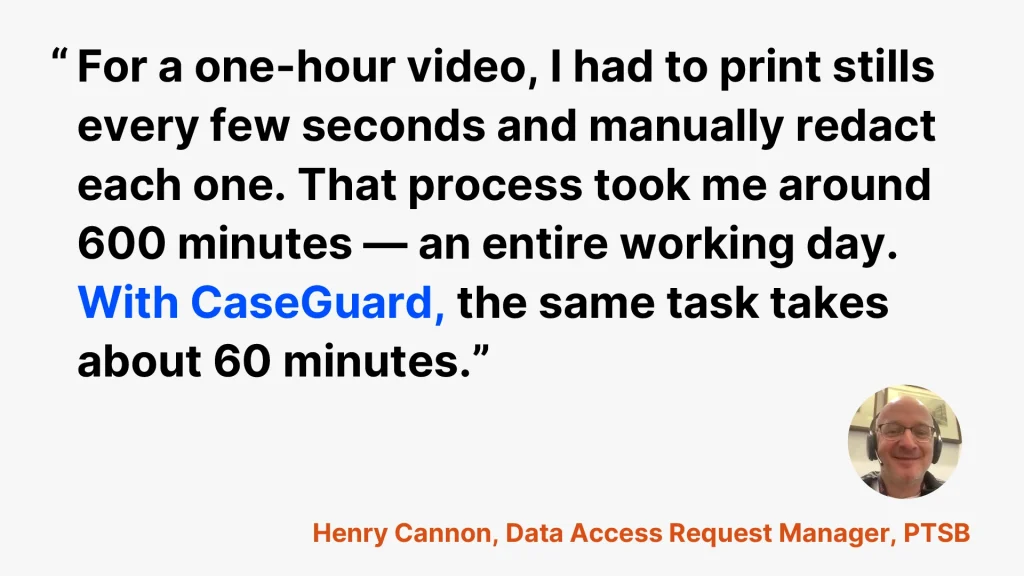
Henry Cannon, Data Access Request Manager quote on video redaction.

Running AI inside a bank, in Henry’s words

Henry does not treat CaseGuard as another piece of software on the stack. He treats it as part of how the bank meets its GDPR obligations.

On the security question that stops most banks from adopting AI tools:

“We were never scared of a data breach because CaseGuard is on-premise. If it were cloud-based, it might have been a different story. This way, we have automation without ever risking customer data.”

On support during time-sensitive requests:

“They were exceptional. In urgent GDPR requests, they jumped in and made sure I could deliver under pressure.”

And his advice to other financial institutions:

“I would seriously tell other banks and compliance teams to consider using CaseGuard AI because the support behind the product is exceptional. You’re not just getting software, you’re getting a team that ensures you succeed.”

Henry is now looking at CaseGuard’s transcription feature for the transcription requests PTSB receives, specifically for how it handles the range of accents that stalled previous tools.

Ready to get your work day back?

If your compliance team is still redacting video by hand, the math looks a lot like PTSB’s did. A day of work per request, a person who cannot be replaced, and a 30-day clock running the whole time.

CaseGuard Studio handles video, audio, images, and documents in one on-premise platform, so customer data never leaves your environment. Whether you are dealing with GDPR subject access requests, CCTV footage, or handwritten forms nobody else can read, the process looks the same: upload, let the AI run, review, deliver.

Book a demo and talk to our team and we will walk you through what your current redaction workload would look like automated.

Related Reads

Frequently Asked Questions

Redaction permanently deletes information such as SSNs, credit card numbers, or addresses, making it unrecoverable. Masking, by contrast, substitutes or hides the data temporarily (e.g., showing “1111-1111-1111-1111” instead of a real card number), but the original values still exist in the system.

If done properly, no. Redaction removes the information from every layer of the file, text, metadata, OCR, and hidden revisions, making recovery impossible. However, manual “black box” methods in Word, Adobe, or paint-style tools only cover the data visually. The underlying content often remains extractable, which is not true redaction. CaseGuard Studio goes further by permanently scrubbing metadata and hidden layers across video, audio, documents, and images, ensuring nothing remains recoverable.

At a minimum, organizations must redact:

  • PII (personally identifiable information): names, SSNs, phone numbers, addresses.
  • PHI (protected health information): diagnoses, treatment details, medical record numbers.
  • PCI data (payment card details): card numbers, CVVs, expiration dates.
  • Government/Legal records: witness identities, classified details, license plates, or juvenile information under FOIA and CJIS rules.

CaseGuard Studio simplifies this by detecting and redacting all of these data types across documents, audio, video, and images within a single platform.

CaseGuard Studio allows users to upload hundreds or thousands of files at once, PDFs, Word documents, scanned handwritten notes, videos, audio recordings, and images, and redact them simultaneously. Users can search for keywords, categories of PII, or custom redaction reasons, then apply changes in bulk. Every instance can be reviewed or adjusted in one click.

CaseGuard Studio generates detailed audit reports for every redaction project, showing exactly what was removed, when, and by whom. This includes FOIA exemption logs, HIPAA compliance records, transcription reports, and privilege logs. These records provide proof of compliance during audits and protect organizations from fines under GDPR, HIPAA, PCI-DSS, FERPA, and other regulations.

Unlike tools that only handle text or PDFs, CaseGuard Studio is an all-in-one platform that supports video, audio, images, and documents in the same dashboard. It offers:

  • AI detection with 98% accuracy
  • 30x faster processing than manual work
  • Support for 100+ spoken languages with speaker identification
  • Metadata scrubbing to ensure nothing hidden is left behind
  • On-premise deployment, so data never leaves secure servers
  • Automated compliance logs (FOIA exemption logs, HIPAA audit trails, privilege logs)