Wondering how to redact a PDF bank statement even after the October 15 extended deadline? Whether you’re searching for it or muttering “how do i redact a bank statement” at your screen, you’re not alone. Your inbox is full of PDFs that need redacting before they reach a CPA, auditor, or lender, and the clock is nearly out. This guide gives you the short answer, shows the real hour-by-hour cost of doing it manually, and explains the IRS rule on SSNs and EINs that can turn a careful redaction into a filing headache. Stick around for the time math. It may make you close the Acrobat tab.
While extended returns for calendar-year C corporations and individuals were due October 15, 2026, and extended nonprofit returns follow on November 16, third-quarter employment tax returns are in fact due November 2, and a corporate estimated tax installment lands December 15. So if you filled it out and submitted it, Form 7004 only buys more time to file. It does not buy more hours in the day.
Every one of those dates sends another wave of bank statements, payroll files, and vendor forms to people outside your company, and each one needs redacting first. The only question is whether your team spends the time it has left clicking or finishing.

Play Video
How to Redact a PDF Bank Statement: The Short Answer
Here is how to redact a PDF bank statement: permanently remove (not just cover) every account number, routing number, card number, tax ID, and personal detail the recipient doesn’t need, then scrub the file’s metadata and verify that nothing is recoverable. Done by hand, that means reading every page. Done with CaseGuard, AI finds the data and you review it. Either way, the steps are the same:
- Identify what must go: account and routing numbers, card numbers, SSNs and EINs, names, addresses, payroll lines, and barcodes.
- Find every instance, including footers and scanned pages.
- Apply true redaction that deletes the underlying text. A black box is decoration, not redaction.
- Scrub metadata and hidden layers.
- Verify by trying to copy, search, and inspect the exported file.
The difference between manual and AI is who does steps 2 through 4, and how long it takes.
The Manual Workflow: Where Your Time Goes
Manual redaction is the most common answer to how to redact a PDF bank statement, and it usually means Adobe Acrobat Pro. Acrobat is excellent for signing contracts and, to be fair, does have a redaction button. But in CaseGuard’s head-to-head test, Acrobat lacked specialized automated data detection, so a person had to find every sensitive item by eye. It also needed a separate step to sanitize hidden metadata, and a thorough check took about 45 minutes for a single 50-page document.
That is one file. Now multiply by your real queue: monthly statements for every account, payroll registers, vendor W-9s, and the follow-up request your CPA will send tomorrow (“Could you also send February?”). Manual redaction fails in three predictable ways:
- Speed. Hours per hundred pages, while new requests keep arriving.
- Consistency. Two reviewers, two definitions of “sensitive.”
- Misses. One missed SSN on page 42 turns a finished file into rework, or worse, an exposure.
Watch CaseGuard’s video comparison to see the gap in real time.
Manual vs. AI Redaction: The Time Math
Using the same test pace (45 minutes versus about 2 minutes per 50 pages), here is what volume looks like:
| Pages to redact | Manual (Acrobat pace) | CaseGuard (AI pace) |
|---|
| 100 | About 1.5 hours | About 4 minutes |
| 500 | About 7.5 hours | About 20 minutes |
| 1,000 | About 15 hours | About 40 minutes |
| 5,000 | About 75 hours | About 3.3 hours |
These figures are extrapolated from one test and exclude rework, so treat them as directional. For planning, use CaseGuard’s more conservative benchmark of 10x faster redaction and 85% savings on fixed redaction costs. Even then, 1,000 pages drops from 15 hours to about 90 minutes. At an illustrative $60 an hour, that is $900 of staff time versus $90, plus the days you get back for reconciliations, estimates, and the return itself. One CaseGuard user reported cutting redaction time in half using OCR, Find & Redact, and templates alone.
How to Redact SSN From Tax Return Copies (and Redact Tax ID Numbers Safely)
If you need to know how to redact ssn from tax return copies, start with the rule that trips up careful people: redact copies, never originals. Under the IRS guidance on truncated taxpayer identification numbers, you may replace the first five digits of an SSN, ITIN, or EIN with asterisks or X’s on most payee statements, such as the 1099 series, but not on forms filed with the IRS or with state and local governments, not on your own ID number, and not on Form W-2.
So when you need to redact tax id number fields from W-9s, 1099 files, or payroll support before sharing them with a lender, auditor, or consultant, work on a duplicate, show only the last four digits if the recipient needs a reference, and leave the filed return untouched. (Confirm specifics with your tax professional.)
Bank statements often carry card numbers beside tax IDs, and under PCI rules masking and truncation are not interchangeable. That is why one pass for everything beats three manual ones. With CaseGuard, you build a pattern once for SSNs and EINs and apply it to hundreds of documents, no developer required.
How to Redact a PDF Bank Statement With AI: Four Steps
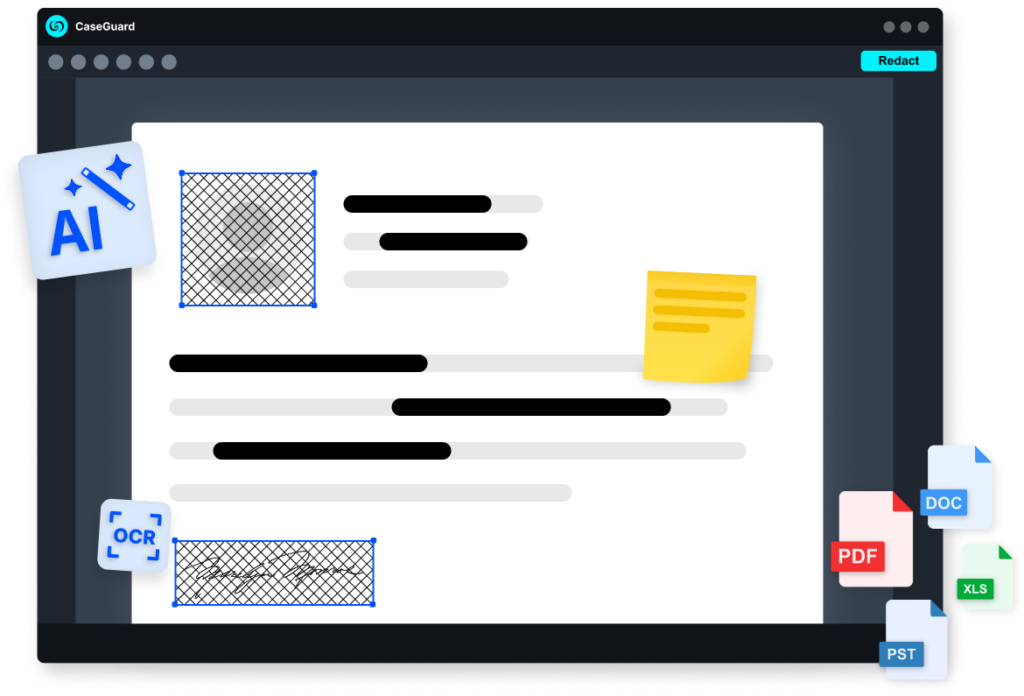
Here is the same job without the eyestrain:
- Add files. Drop in PDFs, Word and Excel files, emails, and scans by the thousands, with OCR for scanned and handwritten pages, using bulk redaction.
- Automatic AI redaction. CaseGuard finds and redacts 33+ categories of PII and financial data, and reusable templates make month two a matter of minutes.
- Human review. Edit, preview, and original-file views let you verify exactly what the recipient will see.
- Export. Redactions are irreversible, metadata is scrubbed, and a full audit log records every action, all processed 100% on-premise so your statements never land on someone else’s server.
That is AI document redaction doing the reading while your team keeps the judgment. New to this? Start with CaseGuard’s guide to redacting a PDF in three simple steps.
Best AI for Redacting Financial Data: Five Questions to Ask
- Does it delete the underlying text and metadata, or just overlay it?
- Does it detect financial IDs and read scanned pages with OCR?
- Does it offer reusable templates and true bulk processing?
- Does it include human review and an audit log?
- Does your data stay on your own network?
CaseGuard answers yes to all five, which is why it belongs at the top of any shortlist for the best AI for redacting financial data. See CaseGuard’s pricing or how it serves financial services teams.
Two Timelines for the Same Deadline
Team Manual:
the night before the deadline, 11:47 p.m., page 212 of 360, a fourth coffee, and a reviewer who no longer remembers what a routing number is.
Team CaseGuard:
early afternoon, files uploaded, template saved, batch exported, audit log archived, and a CPA who received everything early. Same deadline, same people, different tools. Only one of those teams gets to go home.
How Do I Redact a Bank Statement Quickly?
In CaseGuard’s test, a 50-page document took about 45 minutes in Acrobat with a full double-check, versus about 2 minutes with CaseGuard’s AI. If you’re asking how do i redact a bank statement without losing your week, automating detection is where the time comes back. Finding every instance is the slowest part of how to redact a PDF bank statement by hand.
Is a Black Box Real Redaction?
No. A black box only covers text visually, and the characters can remain in the file. True redaction deletes the underlying text and scrubs metadata and hidden layers so the content cannot be recovered.
Can I Redact an SSN From a Filed Tax Return?
Redact copies you share with third parties, never the return you file. The IRS does not allow truncation on forms filed with it, so keep originals intact and redact duplicates.
Skip Page 212: Book Your Demo
Now you know how to redact a PDF bank statement. Whatever time you have left is enough to finish with CaseGuard and not enough to finish by hand. Book a demo with one of our privacy experts and see your own statements, SSNs, and EINs redacted in minutes instead of nights.